On this page
- Why choose the genuine Brother DR-3000 drum unit
- Drum and toner: two different consumables
- Printers compatible with the DR-3000
- Page yield
- Installation and maintenance
- Use and tips
- Specifications
- Related products
- Frequently asked questions
Why choose the genuine Brother DR-3000 drum unit
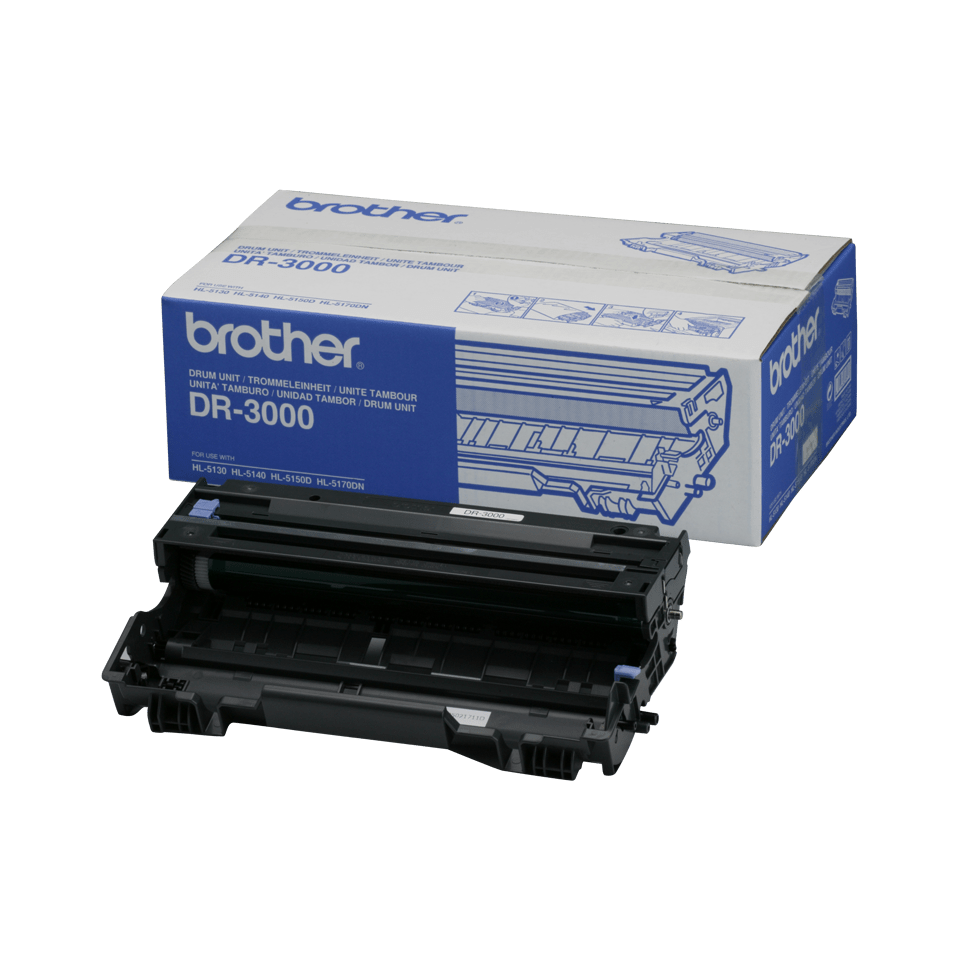
The DR-3000 is the genuine drum unit of Brother HL-5100, DCP-8000 and MFC-8000 monochrome laser printers. It transfers the toner onto the paper; it is separate from the toner cartridge and is replaced about every 20,000 pages, i.e. after several toners. A genuine drum guarantees even density, no marks or streaks, and keeps the printer warranty.
Drum and toner: two different consumables
The toner (TN-3030, TN-3060) holds the powder; the DR-3000 drum lays it on the sheet. The drum lasts about 20,000 pages, roughly 6 TN-3030 toners or 3 TN-3060 toners. The printer shows "Replace drum" at end of life; repeated marks at regular intervals on the page are the other sign.
Printers compatible with the DR-3000
The DR-3000 is compatible with 10 Brother models (manufacturer list):





Check the exact reference on the label at the back or underneath the printer; the suffixes (D, DW, DN, CDW) matter.
Page yield
20,000 pages according to the manufacturer, for one-page print jobs. Short, frequent jobs wear the drum faster. The cost per page shown next to the price is calculated from the current price and this yield.
Installation and maintenance
Tool-free replacement: open the front cover, pull out the drum + toner assembly, separate the toner from the old drum, clip it onto the new DR-3000, put the assembly back. Do not touch the green drum surface and do not leave it in the light for long. Used Brother drums can be returned free of charge through the Brother recycling program.
Use and tips
The DR-3000 drum (20,000 pages) is replaced far less often than the toner: over 5 years at 300 pages per month, about a year and a half at 1,000 pages per month. The printer's counter tracks its wear and shows "Drum end soon" then "Replace drum".
Keep the drum in its packaging until installation; when installing, do not touch the green surface and do not expose it to direct light for more than a few minutes. A worn drum shows as repeated marks at regular intervals or a gray background; after replacement, reset the counter as described in the printer guide.
Specifications
| Manufacturer part number | DR-3000 (DR3000) |
|---|---|
| EAN code | 4977766623575 |
| Type | Genuine Brother drum unit (OEM) |
| Technology | Monochrome laser |
| Page yield | 20,000 pages (manufacturer data) |
| Matching toners | TN-3030 (3,500 pages) TN-3060 (6,700 pages) |
| Contents | 1 drum unit |
| Net weight | 588 g |
| Product dimensions (L x W x H) | 195 x 120 x 365 mm |
| Origin | China |
| Compatible printers | 10 Brother HL, DCP, MFC models |
Related products

Frequently asked questions
Is the DR-3000 compatible with my Brother printer?
Yes if it appears in the list above (HL-5140 to MFC-8840DN). If in doubt, compare the exact reference of your printer, suffix included.
Do I need to change the drum with every toner?
No. The DR-3000 drum lasts about 20,000 pages, i.e. several toners. The printer indicates when to replace it.
How many pages does the DR-3000 drum print?
About 20,000 pages according to the manufacturer, for one-page print jobs. Short, frequent jobs reduce this figure.
Is the toner included?
No. The DR-3000 ships without toner; the toner (TN-3030, TN-3060) is reused or bought separately.
How do I know the drum is worn?
The printer shows "Drum end soon" then "Replace drum". Dots or lines repeated at regular intervals on the page are the other sign.
Where can I find the safety data sheet (SDS) for the DR-3000?
On our Brother support page: safety data sheet for the DR-3000 in your language, manuals and FAQ for the compatible printers.