
On this page
- Why choose the genuine HP 301 ink pack
- Pack or single cartridge?
- Printers compatible with the N9J72AE
- Page yield
- Installation and maintenance
- Use and tips
- Specifications
- Related products
- Frequently asked questions
Why choose the genuine HP 301 ink pack
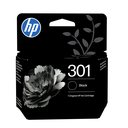
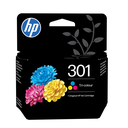
Genuine HP 301 cartridge, 4-color. Ink formulated for the print head of these printers: faithful colors, fast drying, no clogged nozzles. The printer recognizes the cartridge and shows the remaining ink level.
Pack or single cartridge?
The N9J72AE bundles 2 4-color cartridges, 170 pages each per color: cheaper than cartridges bought separately, and no running out at the wrong moment.
Printers compatible with the N9J72AE
The N9J72AE is compatible with 7 HP models (manufacturer list):
- HP Deskjet 3060 All-in-One Printer - J610e (CH378A)
- HP Deskjet 3050 All-in-One Display Shipper - J610 (CH386A)
- HP Deskjet 2511 All-in-One Printer (CX030A)
- HP Deskjet 2050 All-in-One Printer Bundle - J510 (A7W48C)
- HP Deskjet 2540 All-in-One-skrivare (A9U22B)
- HP Deskjet 2512 All-in-One Printer (CX032B)
- HP Officejet 4634 e-All-in-One-skrivare (D4J74A)
Check the exact reference of your printer (label at the back or Information menu); suffixes (dn, dw, fdw, n) are variants of the same series and use the same consumables.
Page yield
170 pages per color per ISO/IEC 24711 (5% coverage per color, letter-type documents). Graphics or photo-heavy pages reduce the actual yield. The cost per page shown next to the price is calculated from the current price and this yield.
Installation and maintenance
Replace with the printer on: open the cartridge door, wait for the carriage to stop, press the empty cartridge to release it, unpack the new one, remove the orange tab without touching contacts or nozzles, insert until it clicks and close; the printer aligns the cartridges if needed. Used cartridges: free return through HP Planet Partners.
Use and tips
The N9J72AE suits a lightly used printer (letters, a few documents a week): each cartridge (170 pages) lasts about 2 months at 100 pages per month and a few weeks at 300 pages per month.
Keep the printer plugged in and on: it maintains its nozzles and uses very little power in standby; print a color page every two weeks. Store cartridges in their packaging away from heat and install them before the printed date. At the "Ink low" alert, order; the printer prints until it stops. Genuine cartridges protect the print head and the HP warranty; a cartridge bought for another region is not recognized.
Specifications
| Manufacturer reference | N9J72AE |
|---|---|
| HP number | 301 |
| EAN code | 889894508898 |
| Type | Ink pack |
| Color | 4-color |
| Capacity | Standard |
| Page yield | 170 pages (ISO/IEC 24711) |
| Volume | 3 ml |
| Ink type | Dye-based ink / Pigment-based ink |
| Quantity | 2 cartridges |
| Weight | 0.06 kg |
| Dimensions (W x D x H) | 117 x 38 x 157 mm |
| Origin | Singapore |
| Compatible printers | 7 models |
Related products
Frequently asked questions
Is the N9J72AE compatible with my printer?
Yes if it appears in the list above (7 HP models). If in doubt, send us the exact model (e.g. "HP Deskjet 3060 All-in-One Printer - J610e") and we confirm.
Genuine or compatible cartridge?
We sell genuine HP consumables only: yield guaranteed by the ISO standard, recognized by the printer, HP warranty preserved and free take-back for recycling.
Where can I find the safety data sheet and the manual?
On our HP support page: safety data sheet for the N9J72AE, drivers, manuals and FAQ for your printer, by country.