On this page
- Highlights
- 8715946737386
- Consumables, maintenance parts and accessories
- Usage
- Frequently asked questions
Highlights
- Epson DS-71000WN
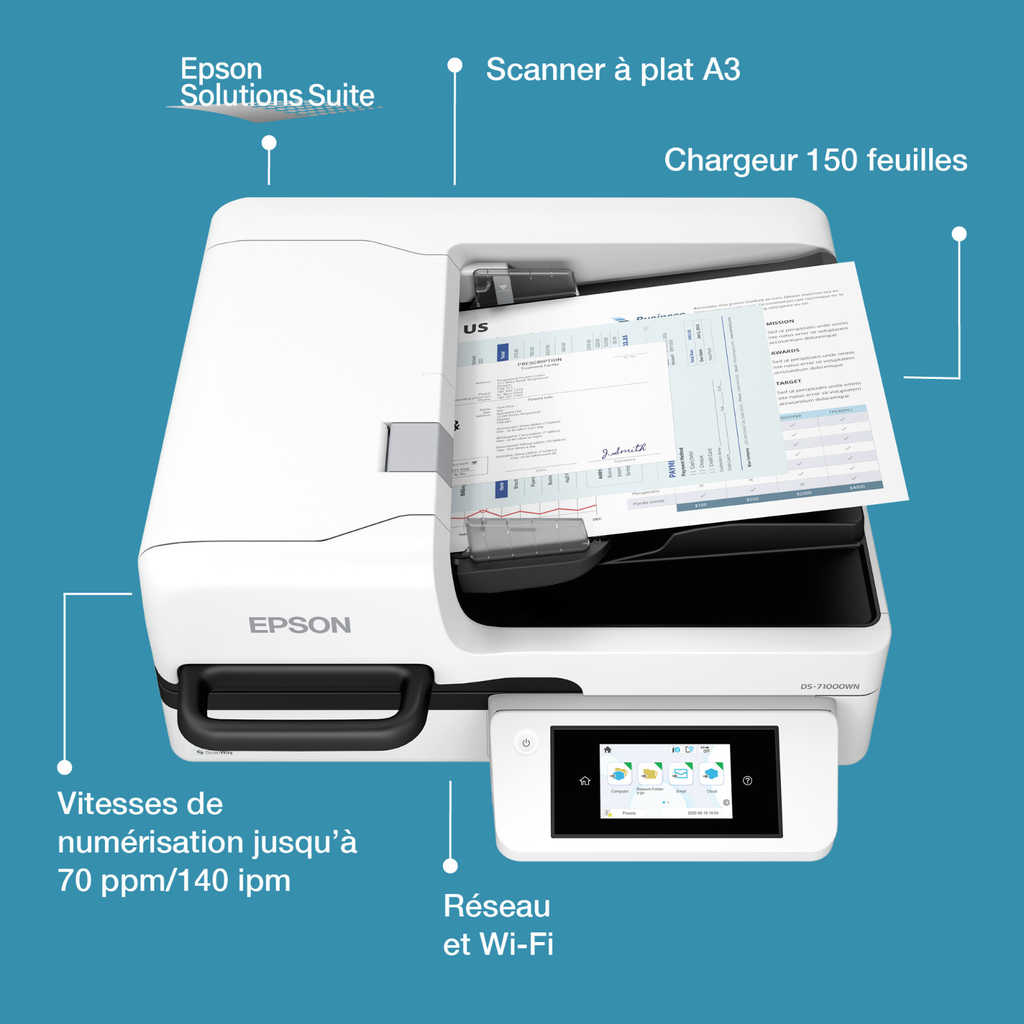
- Connectivité réseau: La connectivité réseau intégrée permet au scanner d’être partagé par plusieurs utilisateurs. Grâce à l’écran LCD, le scanner peut être utilisé sans ordinateur.
- Flexibilité des médias: Numérisez tout type de document, du format A3 au format timbre-poste. Le DS-71000WN dispose également d’un chargeur automatique de documents de 150 feuilles pour numériser rapidement plusieurs pages (A3 et A4).
- DS-71000WN (B11B284401)
- Facilité d’utilisation: Écran tactile LCD très intuitif
8715946737386
| Modèle | DS-71000WN |
|---|---|
| Chargeur de documents (feuilles) | 150 |
| Numérisation recto verso | Oui |
| Format maximal | A3 |
| Numérisation recto verso monopasse | Oui |
| Type de scanner | À plat |
Caractéristiques vérifiées le 9 septembre 2026. Source constructeur
Consumables, maintenance parts and accessories
The consumables and options of this model will be linked to this page when created.
Usage
The DS-71000WN is made for teams that scan documents regularly: duplex batches, to the workstation, network or email depending on the model.
The included drivers (TWAIN and others depending on the model) integrate with mainstream document management software; the included Epson software makes scan profiles easy.
Good to know: check the connectivity (USB, network or Wi-Fi depending on the model) in the table above; for higher volumes, see the other scanners in the Epson category.
Frequently asked questions
Which consumables does this model use?
The genuine Epson consumables referenced for this model are listed in the section above with their yield; the machine itself signals required replacements.
Quel format peut-il numériser ?
Ce scanner accepte les documents jusqu’au format A3. Le tableau ci-dessus précise ses fonctions de numérisation et sa connectique.
Where can I find drivers and the manual?
On our Epson support page: Windows and macOS drivers, user guide and software for this model.